
3 Best Poker Study Apps | Free & Paid Learning Paths
We've handpicked 3 poker study apps that actually help you improve. Start with Preflop Trainer to build your foundation, then choose GTO Wizard (paid) or NTPoker (free) based on your budget.
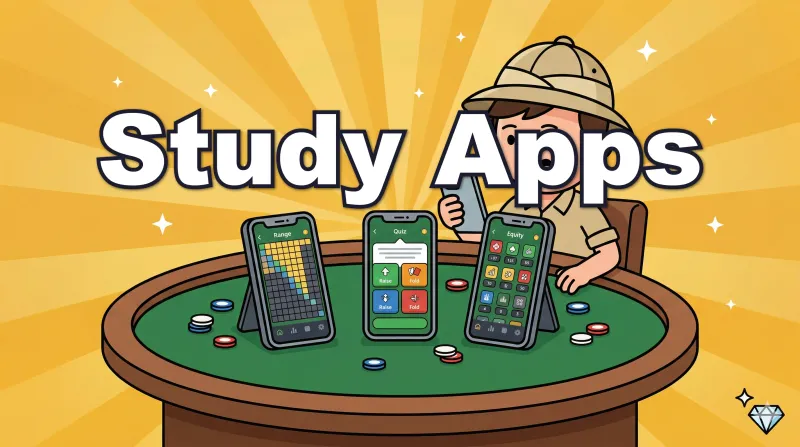
📝 About this article: A column for players who've learned the rules and are wondering "What should I study next?"
There are countless poker study apps out there, but only a few truly help you improve. In this article, we've handpicked 3 apps and laid out a clear learning path — what to start with and how to progress.
What you'll learn
- Why you should start studying from preflop
- Features and how to use our top 3 recommended study apps
- How to choose your learning path based on budget (free / paid)
What are poker study apps?
Poker study apps are tools designed to build your strategy and decision-making through off-table study. Unlike apps where you play against others, these focus specifically on learning "the mathematically and game-theoretically optimal action" for each situation.
Playing lots of hands on poker apps is important too, but if you keep playing without knowing what's correct, you'll just repeat the same mistakes. The first step to improvement is learning "what the optimal action is in this spot" through a study app.
💡 If you're looking for apps to play and gain real experience, check out our recommendations in this article.

Why should you start studying preflop?
Before choosing a study app, let's cover what you should study first. The answer is simple: preflop.
In poker, you can never see your opponent's exact hand. Instead, you play by estimating the range of hands they could hold. And all range estimation starts from preflop.
For example, an opponent who opens from UTG has a narrow range, while one who opens from BTN has a wide range. This starting point is what allows you to track "how the opponent's range narrows" as the hand progresses through the flop, turn, and river.
If your preflop knowledge is shaky, every decision after the flop becomes shaky too. Building a solid preflop foundation is the first step to improving at poker.
Top 3 Poker Study Apps — Comparison
| # | App | What you'll learn | Price | Platform |
|---|---|---|---|---|
| ① | Poker Preflop Trainer | Memorize preflop ranges | Free (full unlock ¥650) | iOS / Android |
| ② | GTO Wizard | Browse, drill & analyze GTO strategy | Freemium (paid from $39/mo) | Browser / iOS |
| ③ | NTPoker | Range viewer, GTO drills & equity calculator | Freemium | iOS / Android |
Poker Preflop Trainer — Start here【①】
| Item | Details |
|---|---|
| Platform | iOS / Android |
| Price | Free (unlock all positions: ¥650) |
| Developer | WEB CLAP, K.K. |
This app focuses exclusively on preflop decisions. You're dealt a hand, choose "Raise / Call / Fold," and instantly see if you're right or wrong. Just by playing through hands in a game-like format, you'll naturally internalize preflop ranges.
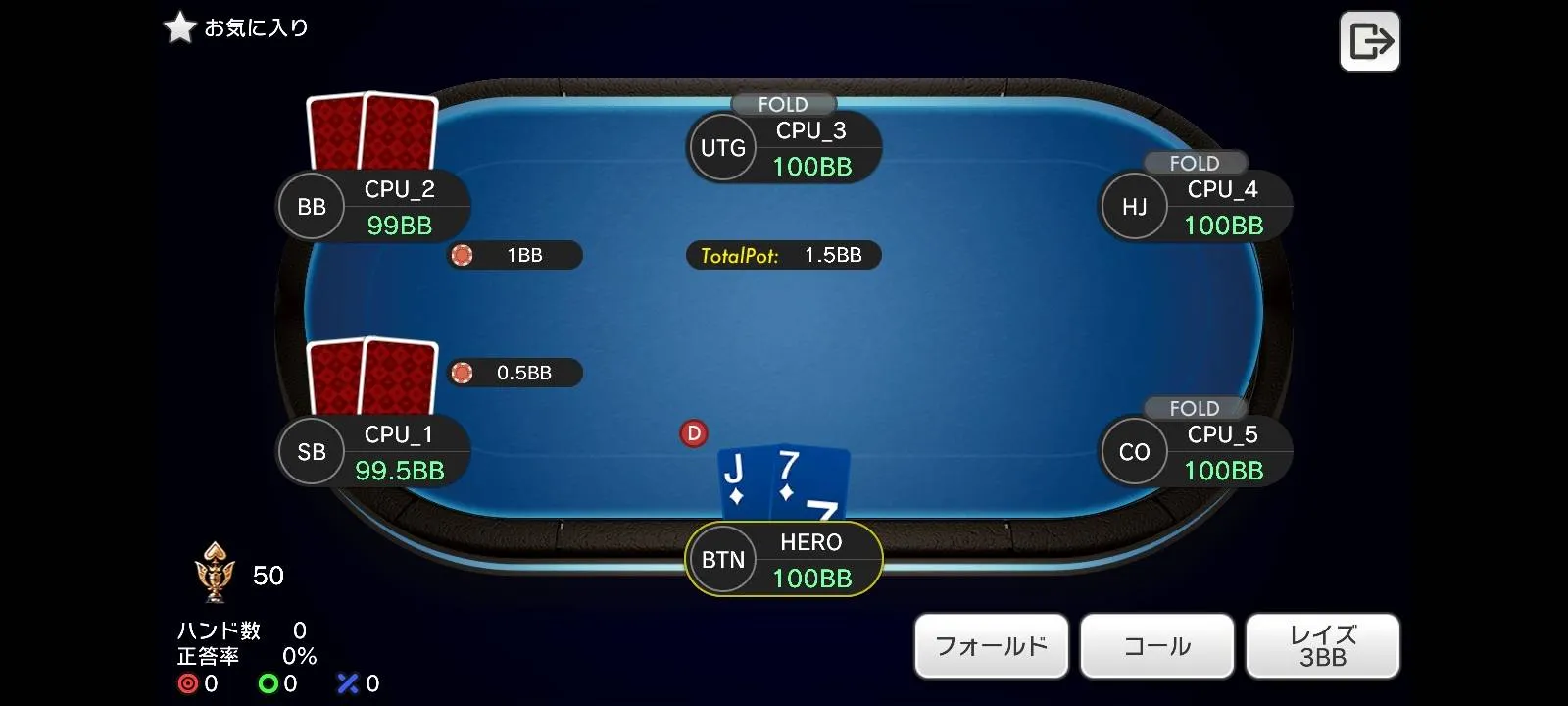
Features
- Preflop-only focus: No postflop play, so you can repeat decisions at high speed
- Position-specific practice: Drill just BTN, just UTG, or any position you're weak at
- GTO-based grading: Answers are based on GTO (Game Theory Optimal) strategy
- Review mistakes on the range chart: After each session, see exactly which hands you got wrong
How to study
- Focus on one position — Start with high-frequency positions like BTN or CO
- Repeat until consistent — Aim for 80%+ accuracy on a single position
- Move to the next position — Once one is solid, move on to UTG, BB, etc.
- Finish with random mode — Once all positions are solid, test your overall skills in random mode
💡 The biggest strength is being able to squeeze in a quick session during your commute or while waiting. 5–10 minutes every day is the most effective approach. Moving your hands in a game-like format is far more effective than just staring at range charts.
If you want to learn preflop ranges, this article is also a great reference.
GTO Wizard — For serious GTO study【②】
| Item | Details |
|---|---|
| Platform | Browser / iOS |
| Price | Freemium (paid plans from $39/mo) |
📝 GTO (Game Theory Optimal): A strategy based on game theory. It refers to a way of playing that won't lose in the long run, no matter what strategy your opponent uses.
GTO Wizard is an all-in-one tool for browsing, practicing, and analyzing solver (a program that calculates optimal strategies) results. You can check GTO strategies for every situation — not just preflop, but flop, turn, and river as well.
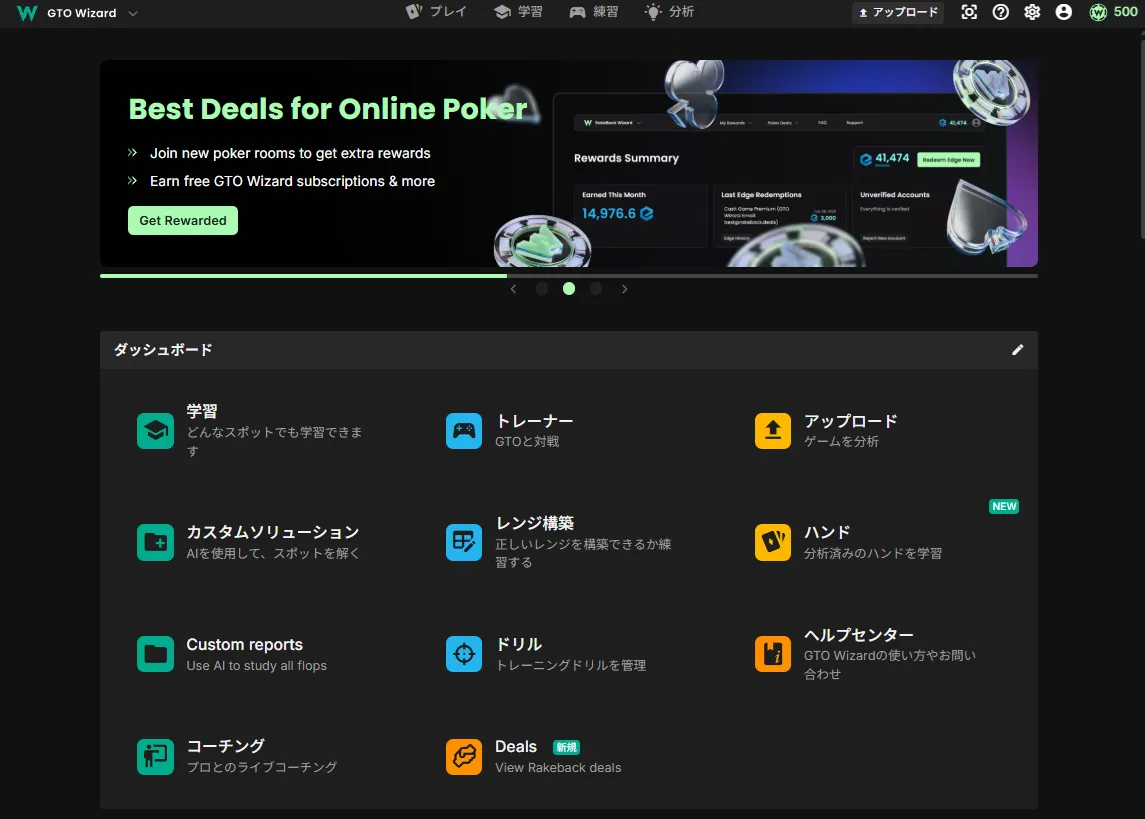
What the free plan offers
- Solution browsing: View range charts for open ranges, 3-bet ranges, and more by position
- Drills: Practice choosing the GTO-correct action for dealt hands (up to 10 hands/day)
The free plan alone is enough for preflop range review and drill practice.
Features added with paid plans
- Unlimited drill sessions
- Full postflop solution browsing for all spots
- Hand history analysis (compare your play to GTO)
- Custom bet size solutions
How to study
Step 1: Check ranges in solutions
Look up range charts for spots you're curious about — "What's UTG's open range?" "What's BTN's 3-bet range?" You can also use it to verify the ranges you learned with Preflop Trainer.
Step 2: Drill every day
The free plan allows up to 10 hands per day in drills. Choose an action for each dealt hand and get scored by GTO accuracy. Keep at it — 10 hands a day adds up.
Step 3: Review mistakes
For hands you got wrong in drills, check the correct action in the solutions view. It's okay if you don't understand "why this is correct" at first. Start by imitating the GTO answer. As you build knowledge through study, the reasoning will gradually become clear.
⚠️ About pricing: GTO Wizard's paid plans start at $39/month, which is quite expensive among poker learning tools. Try the free plan first and only consider upgrading when you feel the need. If the paid plan is out of your budget, NTPoker (introduced next) lets you start for free.
For a detailed guide on how to register and use GTO Wizard, check out this article.

NTPoker — Free GTO learning【③】
| Item | Details |
|---|---|
| Platform | iOS / Android |
| Price | Freemium |
NTPoker is a comprehensive learning app that combines range viewing, GTO practice, and equity calculation in one place. It has similar features to GTO Wizard, but the free tier is much more generous.
Features
- Range viewer: Browse range charts for each position and situation
- GTO training: Drill format where you choose the correct action for dealt hands
- Equity calculator: Calculate equity between hands on the spot
- Mobile-optimized: Mobile-first design, easy to use in spare moments
Comparison with GTO Wizard
| Feature | GTO Wizard | NTPoker |
|---|---|---|
| Solution coverage | Very wide (all spots) | Covers major spots |
| Hand analysis | Available (paid) | Not available |
| Free drill limit | 10 hands/day | More hands available |
| Price | From $39/mo | Free (paid plans available) |
| Usability | Web-centric | Mobile app-centric |
How to study
- Check ranges in the viewer — Look up ranges for spots you're curious about
- Repeat GTO training — Practice preflop first, then postflop
- Deepen understanding with equity calculations — Check "why is this hand a 3-bet?" from an equity perspective
💡 Perfect for those who find GTO Wizard too expensive. You can learn the basics of GTO for free. A great approach is to start with NTPoker and consider GTO Wizard's paid plan only when you need deeper analysis.
Recommended Learning Path
You don't need to install every app. Start by building your foundation with Preflop Trainer, then choose based on your budget.
Step 1: Build your foundation with Preflop Trainer (for everyone)
Regardless of which path you choose, start with Preflop Trainer. If you jump into GTO Wizard or NTPoker without having preflop ranges in your head, you'll be overwhelmed by the amount of information.
Step 2: Choose based on your budget
| Path | App | Monthly cost | Best for |
|---|---|---|---|
| Paid path | GTO Wizard | From $39 | Those who want the fastest improvement |
| Free path | NTPoker | Free | Those who want to keep costs low |
Step 3: Practice in real games
Apply what you've studied in actual games, then review. This cycle turns knowledge into real skill. For practice, we recommend T4 (for efficient hand volume with Fast Fold).
For a detailed comparison of poker apps, check out this article.
Summary
- Start with preflop — It's the most frequent decision point, so solidify it first
- Preflop Trainer for foundation — Drill format to internalize ranges
- GTO Wizard for advanced study — Browse solutions + drills for deep strategy understanding (pricey though)
- NTPoker for budget-friendly learning — Similar features to GTO Wizard at lower cost
- Study and play go hand in hand — Study with apps, then test and review in real games
If you haven't learned how to read range charts yet, starting with How to Read Hand Range Charts will make your study apps much more effective.
Found this helpful?
Bookmark this page to revisit anytime!
Ctrl+D (Mac: ⌘+D)
Found an error or have a question about this article? Let us know.
✉️ Contact Us
![How Ten-Four Players Actually Use Colour Labels [Konasho Monthly vol.1]](/images/thumbnails/article-konasho-app-label-features-en-sm.webp)