
GTO Wizard Pricing & Registration | Getting Started Free
Compare GTO Wizard pricing plans and learn how to create a free account. Step-by-step registration guide with screenshots showing what's available on the free plan.
📝 About this article: A guide to GTO Wizard's pricing plans and registration process. For a full overview of GTO Wizard's features, see the Complete GTO Wizard Guide.
Interested in GTO Wizard but wondering "What can I do for free?" or "How much do paid plans cost?" This article compares pricing plans and walks you through creating a free account with screenshots. Start with the free plan today.
What You'll Learn
- What GTO Wizard is and its key features
- Pricing plan comparison (Free through Ultra) and how to choose
- How to create a free GTO Wizard account (3 steps)
What Is GTO Wizard? A Free Poker Study Tool
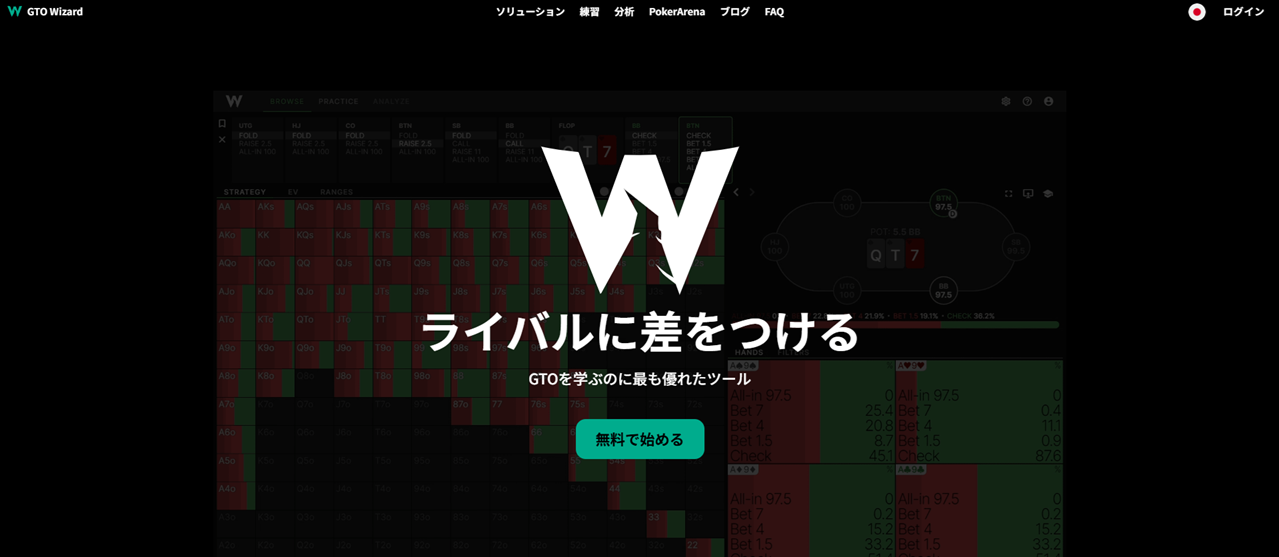
📝 GTO Wizard: A web tool that presents solver (a program that mathematically calculates optimal strategies) results through easy-to-read range charts and training features.
Running a solver yourself requires expensive software and massive computation time. GTO Wizard lets you browse those results easily in your browser.
Key features include:
- Solution browsing — Check optimal strategies from preflop through river for each position
- Trainer (Drills) — Practice choosing the correct action for dealt hands
- Hand history import & analysis — Upload real play data from PokerStars, GGPoker, etc. and compare against GTO
- Aggregate reports — View strategy trends across all 1,755 flops at a glance
- Range Builder — Create, edit, and compare custom ranges
- AI Solver — Run custom solver calculations with nodelocking support
- Poker Arena — Rated heads-up (HU) matches against AI to test your skills
In short, GTO Wizard gives you a complete learning cycle: look up the correct play → practice it → review your real hands. You can see exactly where your game is leaking — in numbers — so you improve faster.
GTO Wizard Pricing Plans Compared (Free to Ultra)
GTO Wizard offers 5 plans including a Free tier.
| Feature | Free | Starter | Premium | Elite | Ultra |
|---|---|---|---|---|---|
| Monthly | $0 | $39 | $69–79 | $129–139 | $229–289 |
| Preflop browsing | 100/day | ○ | ○ | ○ | ○ |
| Postflop browsing | 1/day | Single Size | All solutions | All solutions | All solutions |
| Drills | 10 hands/day | Unlimited | Unlimited | Unlimited | Unlimited |
| HH import | ✕ | 100 hands/mo | 100K hands/mo | 150K hands/mo | 150K hands/mo |
| Aggregate reports | ✕ | ✕ | ○ | ○ (custom) | ○ (custom) |
| 3-way analysis | ✕ | ✕ | ✕ | ○ | ○ |
| AI solver | ✕ | ✕ | ✕ | 2 players | Up to 9 |
| Nodelocking | ✕ | ✕ | ✕ | ○ | ○ |
💡 The Free plan is enough to get started. You can check preflop ranges (100 times/day) and practice drills (10 hands/day) — plenty for your first steps. Consider upgrading when you need aggregate analysis or hand imports.
Which Plan Should You Choose?
| If you want to… | Recommended plan |
|---|---|
| Just try it out | Free — Range browsing and drills are enough |
| Practice seriously every day | Starter — Unlimited drills + hand import |
| Study postflop as well | Premium — All solutions + aggregate analysis |
How to Create a Free GTO Wizard Account (3 Steps)
Creating a GTO Wizard account takes just 3 steps.
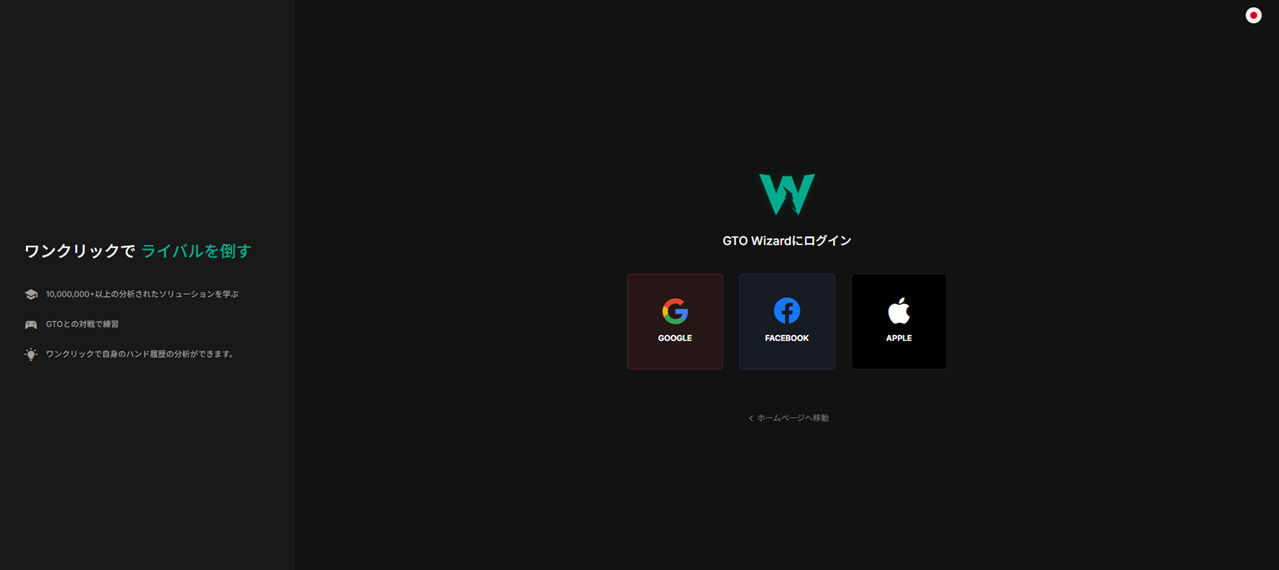
Step 1: Visit GTO Wizard and click "Start Free."
Step 2: Sign in with Google, Facebook, or Apple. There is no email registration — social login only.
Step 3: You're in. The dashboard appears.
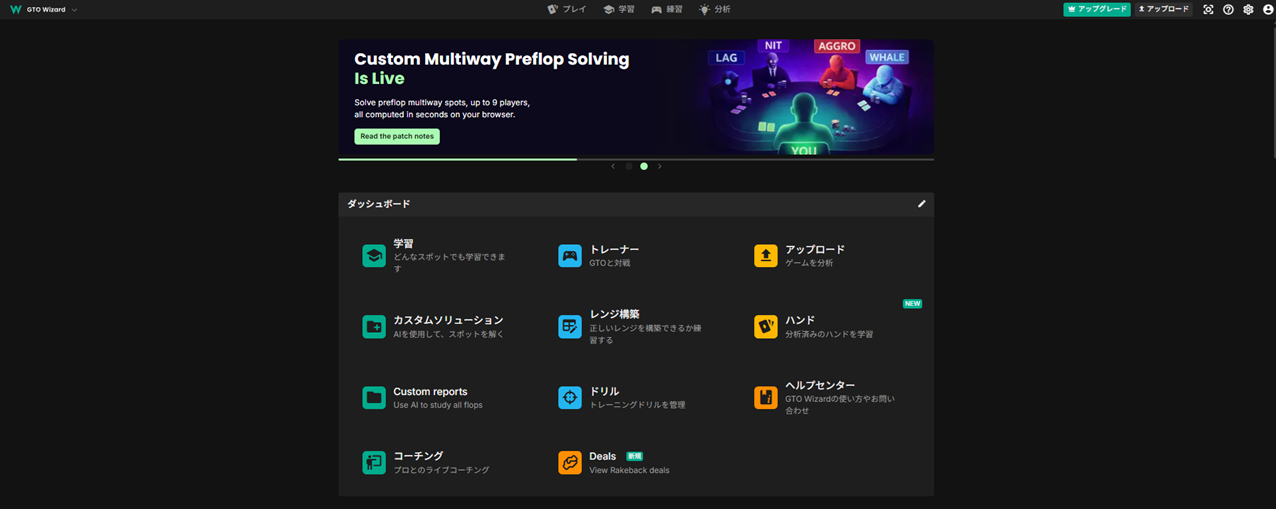
You can use the free plan as-is — no payment required.
Once registered, click the "Browse" button on the dashboard to open the solutions screen. You can check each position's open range as calculated by the solver.

❓ GTO Wizard Pricing & Registration FAQ
What can I do on the free plan?
You can browse preflop solutions (100 times/day), view one postflop solution per day, and practice drills (10 hands/day). That's plenty for learning ranges and building good habits.
When should I upgrade to a paid plan?
If you want to drill more than 10 hands per day, consider Starter. If you need postflop solutions and aggregate analysis, look at Premium. We recommend starting with the free plan and building a daily habit first.
🎯 Start GTO Wizard on the Free Plan
With GTO Wizard, your play shifts from "going with your gut" to "playing with a reason." Knowing the mathematically correct action in each spot eliminates costly mistakes and puts you on the path to becoming a consistently winning player.
And once you have that rock-solid GTO foundation, you can build exploit strategies that target your opponents' weaknesses. Players who make decisions based on numbers — not hunches — are the ones whose bankrolls grow over time.
- GTO Wizard is a web tool for browsing solver-calculated optimal strategies
- The Free plan includes range browsing (100/day) and drills (10 hands/day)
- Account registration takes 3 steps with social login
- Start free and consider upgrading when you need more features
Head over to GTO Wizard and create your free account now!
Already have an account? Check how to browse preflop ranges.
Found this helpful?
Bookmark this page to revisit anytime!
Ctrl+D (Mac: ⌘+D)
Found an error or have a question about this article? Let us know.
✉️ Contact Us
📝 Related Glossary Terms

![How Ten-Four Players Actually Use Colour Labels [Konasho Monthly vol.1]](/images/thumbnails/article-konasho-app-label-features-en-sm.webp)
![The Man Who Climbed Back from −3000bb, Ten-Four Warrior ako-ao [Konasho Monthly vol.2]](/images/thumbnails/article-konasho-ako-ao-interview-en-sm.webp)
This article includes solution screens from GTO Wizard. Copyright in those figures belongs to GTO Wizard.